Do You Podcast? If Not Why Not?
If you are blogging, why not reach your material out into other media?
If you have a Mac it's so easy out of the box.
All you really need is a microphone that gets sound into your system and into a recorder like Garage Band.
The Samson C01U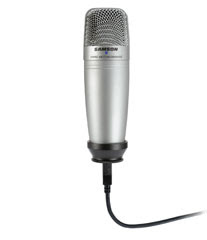 I have been using this inexpensive USB microphone from Samson.
I mount it onto a mic stand with a boom arm - a table stand will do - and use the included usb cable to connect it to a usb 2 port on an Imac G5.
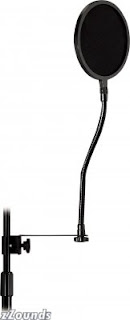
Make sure you use a pop filter in front of the mic . This really helps!
optional: to isolate rumble and table top noise - use a vibration shockmount on the mic stand.
Samson has it's "Spider"
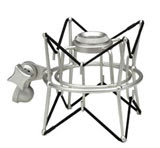
which suspends the mic from elastic bands.
If I want to eliminate the background noise fromthe Mac's fan.. I use an
active usb 2 cable extender and record in another room.
I'm a sound snob.. what can I say,
it's what I do.
I record in Garage band and edit any mis - takes out of the podcast.
Take a listen to this
Podcast from
www.animalbytes.net where the Voice Over was done on the C01U and all the sound was cut and mixed in an early version of Garage Band.
Using the Samson C01U with Apple Garage Band (Mac OS X) - Plug the Mic into a USB Port
- Open Garage Band and Go to Preferences ⌘,
- Click on Audio/Midi
- Select Samson C01U from the Audio Input drop down list
- Click on Yes when it asks if you want to Change audio driver
- One the Driver initializes, close the preferences dialog box and Garage Band will be ready to use the C01U.
This is what they
say but it's not always that easy.
in Garage Band you have to make sure that the inputs are set AFTER you launch the application. Then plug in the mic into the usb port. Then go to
sound preferences on the mac.
Select the input for the Samson.

Don't forget to change the preferences inputs in Garage Band, too!
Here is a good review of the mic and it's uses By Ric Ford (Sept. 15, 2005)
http://www.macintouch.com/samsonc01u.htmlCheck my friend Douglas Welch's Blog
to see his
process.
This is fairly close to how I do it.
- more later!


 email me


 Make sure you use a pop filter in front of the mic . This really helps!
 which suspends the mic from elastic bands.


